

TopstepX
Platform Updates
Most Recent Platform Updates
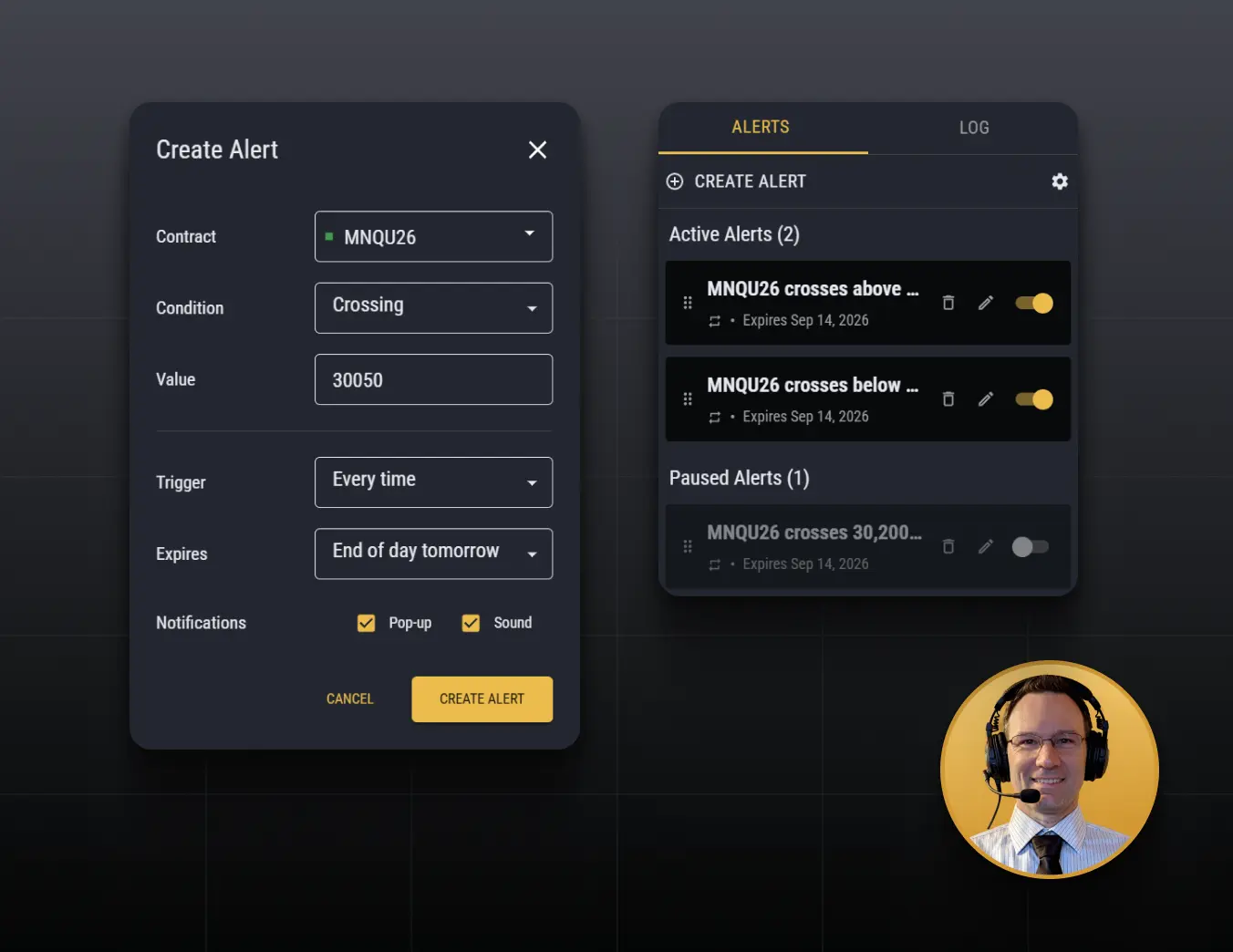
Price Alerts
What it is
Generates an alert should the last traded price of an instrument cross a price level that you are monitoring. Displays as a pop-up notification on the chart and produces and audible tone.
Who it's for
It's great for when you need to step away from your trading desk, but don't want to miss out on a potential trading opportunity.
TopstepX Cumulative Volume Delta Indicator
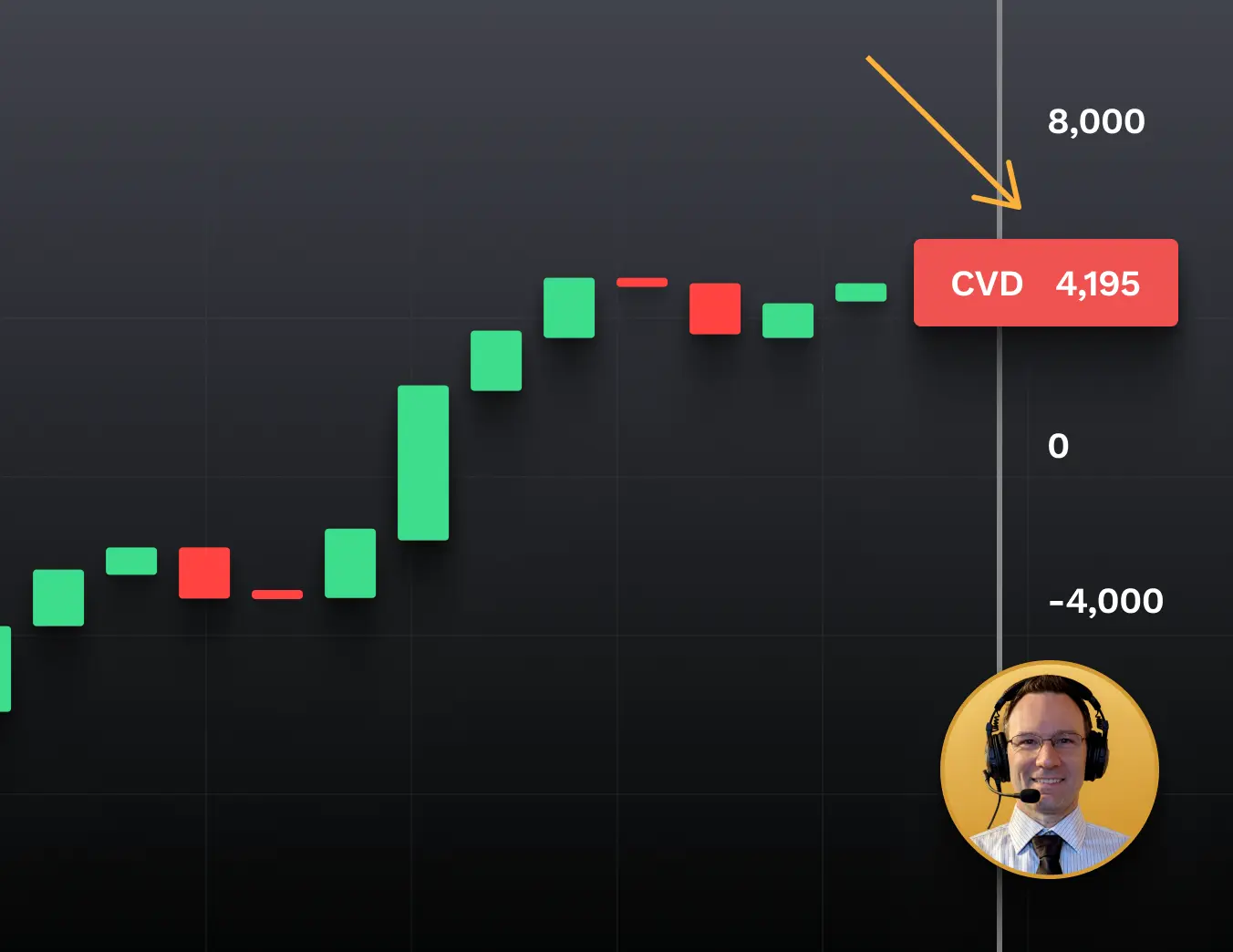
See who's being more aggressive: buyers or sellers.
Price tells you where the market is moving. Cumulative Volume Delta (CVD) gives you another view by tracking the difference between aggressive buying and aggressive selling throughout the trading day.
If price and CVD are moving in the same direction, that can show participation behind the move. If they start moving in different directions, traders may take a closer look.
The Full Indicator Lineup
TopstepX Zero Lag MACD Indicator
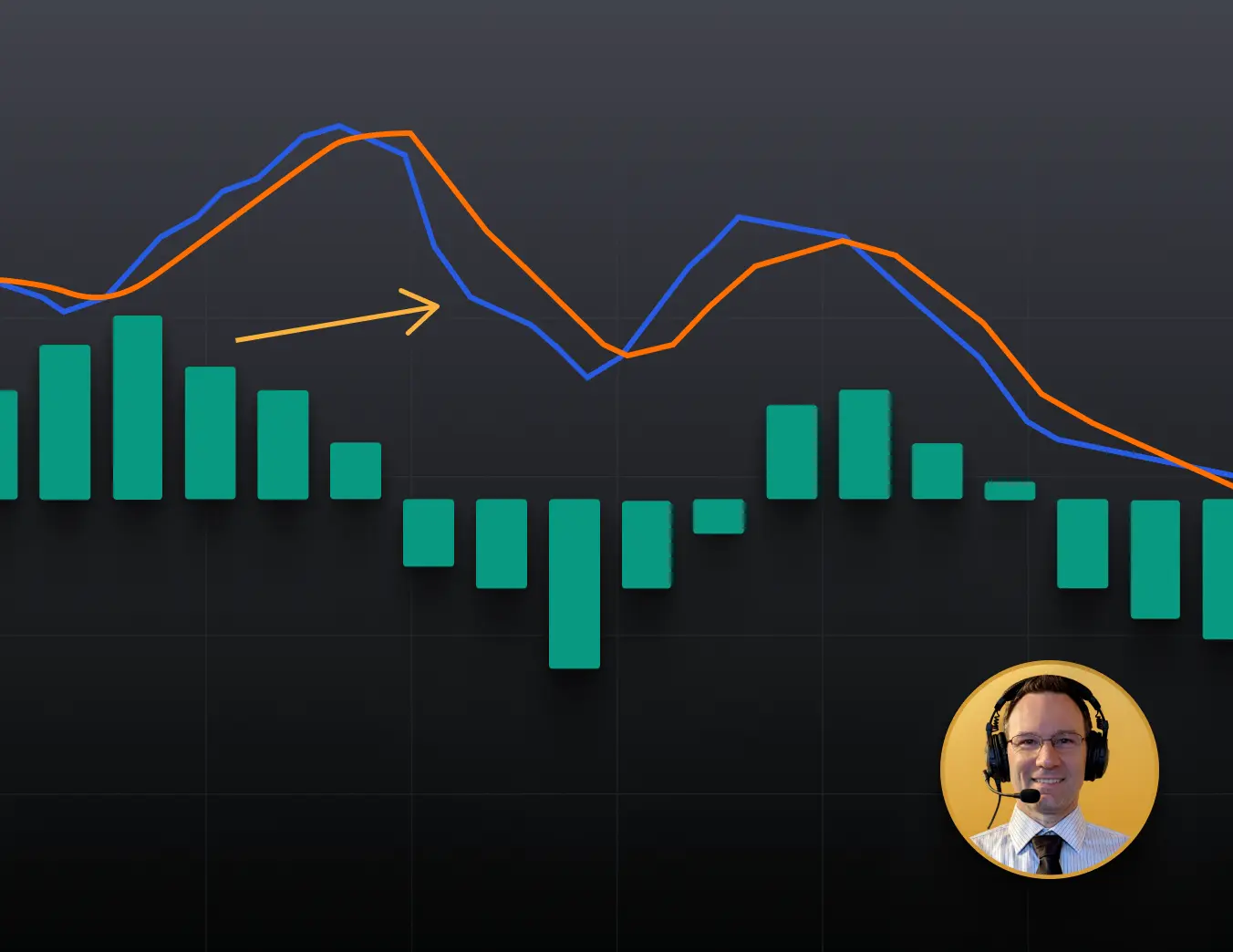
A faster-moving take on the classic MACD.
Traditional moving averages react after price moves. Zero Lag MACD is designed to reduce some of that delay so it can respond more quickly to changing prices.
You read it much like a normal MACD by watching the relationship between the main line, signal line, and zero line. Because it's faster, it can also react more to smaller moves.
TopstepX Zero Lag MACD Indicator
How traders use it: Look for changes in direction and momentum the same way you would with a traditional MACD, but with a faster response.
Why it helps: Gives traders who already like MACD a more responsive version with familiar controls.
TopstepX VIDYA Indicator
A moving average that adapts to the market.
Most moving averages use the same calculation whether the market is moving quickly or going sideways. VIDYA adjusts based on momentum.
When momentum is stronger, it follows price more closely. When momentum slows and the market gets choppy, it becomes less responsive to smaller moves.
.webp)
TopstepX VIDYA Indicator
How traders use it: Watch the direction of the average and whether price is trading above or below it for trend context.
Why it helps: Automatically adjusts to changing market conditions instead of reacting the same way to every environment.
TopstepX T3 Indicator
Smooth out the trend without making it feel slow.
T3 is a moving average designed to create a smoother trend line while still reacting relatively quickly when the market changes direction.
That can make it useful when a normal moving average feels too noisy, but a heavily smoothed one reacts too slowly.
.webp)
TopstepX T3 Indicator
How traders use it: Follow the slope and color of the line for a cleaner read on market direction.
Why it helps: Gives you a smoother trend view without as much of the delay that can come with heavier smoothing.
TopstepX SSL Hybrid Indicator
Get a simple visual read on market direction.
SSL Hybrid uses moving averages based on price highs and lows to create a line that flips sides as market direction changes.
The Hybrid version adds more trend and volatility context around that basic read. In a strong trend, the direction can stay consistent. In sideways markets, you may see it flip more often.
.webp)
TopstepX SSL Hybrid Indicator
How traders use it: Use the line as a visual trend filter to quickly see which direction currently has the stronger bias.
Why it helps: Turns a more complicated trend calculation into a simple visual cue that's easy to check at a glance.
TopstepX Trend Magic Indicator
Keep the bigger market direction in view.
Trend Magic combines momentum and volatility into a line that follows price and changes as market conditions change.
Its color and position can give you a quick read on the current direction, while the distance from price automatically adjusts as volatility increases or decreases.
.webp)
TopstepX Trend Magic Indicator
How traders use it: Use the line as a visual trend filter to help stay focused on the market's current direction.
Why it helps: Combines momentum and volatility into one straightforward trend read instead of requiring multiple indicators.
TopstepX Price Info Indicator
Keep important prices right in front of you.
Price Info adds useful information directly to your price scale, including the current closing price, projected Heikin-Ashi Close, and optional price levels.
You can also create a ladder of round-number levels above and below the market, making common psychological price levels easier to see.
.webp)
TopstepX Price Info Indicator
How traders use it: Keep key prices and round-number levels visible without manually adding them to the chart.
Why it helps: It's a simple orientation tool that keeps useful price information in view without adding another indicator panel.
TopstepX Sessions Indicator
See when the market made its move.
The Sessions tool shades different parts of your chart based on the trading sessions you choose, such as Asian, London, and New York.
It can also mark the high and low from each session. That makes it easier to see whether an important move or price level formed overnight or during more active U.S. trading hours.
.webp)
TopstepX Sessions Indicator
How traders use it: Compare price action across different sessions and keep track of each session's highs and lows.
Why it helps: Makes time-of-day context visual, so you don't have to constantly check the clock or calculate session times yourself.
Initial Balance
See the range set during the first hour.
The Initial Balance (IB) marks the market's high and low during the first 60 minutes of the session.
Once that range is set, the indicator can also project levels above and below it. This gives you consistent reference points for seeing whether price stays inside the early range or breaks beyond it.
.webp)
Initial Balance
How traders use it: Use the first-hour range and its extensions to help frame the rest of the trading day.
Why it helps: Automatically gives you the same objective set of levels at the start of every session.
Opening Range
Build a range around the opening minutes that matter to you.
Opening Range works like Initial Balance, except you choose how long the opening window lasts. It could be the first 5, 15, 30 minutes, or another timeframe you prefer.
The indicator marks the high and low during that window and can project additional levels above and below the range.
.webp)
Opening Range
How traders use it: Watch how price behaves around the opening range and its extensions as the session develops.
Why it helps: You get repeatable session levels while choosing the opening window that works for your market and trading style.
